





Key Takeaways
- Website speed directly impacts revenue.
- Most performance issues are fixable without rebuilding your website.
- Speed alone isn't enough—conversion optimization matters too.
- You can identify performance issues in minutes.
- Small technical improvements can deliver significant business results.
You spent money building your website. You might be spending more money sending traffic to it. And somewhere between the ad click and the contact form, you’re losing most of those visitors — silently, invisibly, before they’ve read a word about what you do.
Here’s the uncomfortable truth: in most cases, the problem isn’t your product, your pricing, or your copy.
It’s your website’s performance. And it’s measurable.
The numbers most founders don’t know about their own site
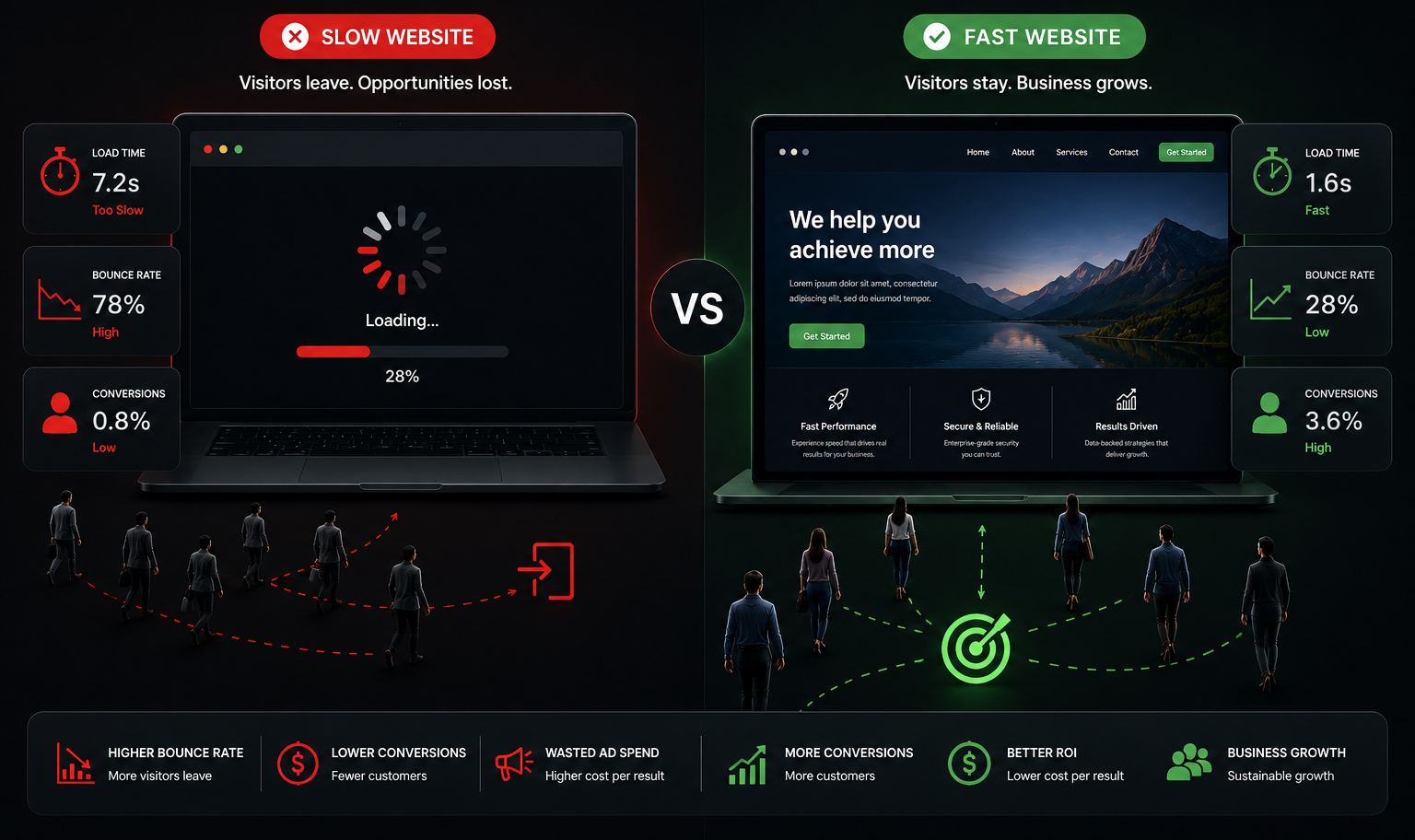
Google’s own research found that 53% of mobile visitors abandon a website that takes more than 3 seconds to load.
The average load time for a small business website? Closer to 7–8 seconds on mobile.
Let’s put that in terms that matter:
If you’re spending £3,000 per month on Google Ads and driving 2,000 visitors to your site — roughly 1,060 of those visitors are leaving before your page finishes loading. You paid for those clicks. You got nothing from them.
This isn’t a traffic problem. It’s a retention problem that’s being misdiagnosed as a traffic problem.
And the solution is almost never “run more ads.”
Why this happens — the five most common culprits
Most slow websites aren’t slow because someone made a dramatic mistake. They’re slow because of accumulated decisions that each seemed fine individually.
1. Images that were never optimised
The single most common cause of slow load times. A high-resolution image uploaded directly from a camera or stock site can be 4–8MB. The same image, properly compressed and served in a next-gen format (WebP), can be under 200KB. Same visual quality. 95% smaller file size.
2. Third-party scripts loading on every page
Every tool you’ve added to your site — a live chat widget, Google Analytics, a heatmap tool, a cookie consent banner, a Facebook pixel — adds a script that loads before your page is visible. Most websites accumulate 8–15 of these over time with no one auditing the cost.
3. No Content Delivery Network (CDN)
If your website is hosted on a single server — say, in London — every visitor from Chicago, Sydney, or Mumbai is loading your site from that one server. A CDN distributes your content to servers globally so each visitor loads from the nearest point. It’s one of the highest-impact, lowest-cost fixes available.
4. Render-blocking JavaScript
JavaScript that loads before the page renders makes users stare at a blank screen. Moving these scripts to load after the visible content — a technical but relatively simple fix — can shave 1–3 seconds from perceived load time.
5. Hosting that hasn’t been reviewed since launch
The cheapest shared hosting plan was fine when you launched. It is not fine when you’re running ad campaigns. Shared hosting puts your site on a server with hundreds of other websites. Traffic spikes from any of them affect yours. Upgrading hosting is often a 30-minute change with an immediate, measurable improvement.
Speed is only part of the problem
Load time gets the most attention because it’s the most measurable. But there are three other silent conversion killers that are just as common:
No clear call to action above the fold
“Above the fold” means what a visitor sees before they scroll. If your primary call to action — Book a call, Get a quote, Start a trial — is not visible immediately on both desktop and mobile, a significant portion of visitors will leave without knowing what to do next.
Run this test right now: open your own website on your phone. Without scrolling, what is the one thing you’re being asked to do? If the answer isn’t immediately obvious, it’s not obvious to your visitors either.
A contact form with too many fields
Every additional field in a contact form reduces completion rate. Research by Hubspot found that reducing form fields from 11 to 4 increased conversions by 120%.
Ask only what you need to start a conversation. You can collect the rest later.
No visible trust signals
A visitor who has never heard of you is making a trust decision in under 8 seconds. Client logos, testimonials, case study links, press mentions, or even a simple “Trusted by 40+ companies” line near the top of the page can make a measurable difference to conversion rate — particularly for B2B audiences who are evaluating risk.
How to diagnose your own website in 10 minutes
You don’t need to hire anyone to find out if you have a performance problem.
Step 1:
Go to pagespeed.web.dev
Step 2:
Enter your website URL
Step 3:
Click the “Mobile” tab — not Desktop. Most of your traffic is on mobile.
Step 4:
Read your score.
- 90–100: Excellent. Performance is not your conversion problem.
- 70–89: Decent, but there are likely quick wins available.
- 50–69: You have a real, fixable problem that is affecting your conversion rate today. Under 50: This is costing you money every single day.
What fixing this actually looks like
Most performance issues on a small business or startup website can be meaningfully improved within one to two focused days of work. Not a full rebuild. Not a new platform. A targeted set of technical fixes applied to what already exists.
In our experience working with startups and SMBs across the US and UK, the most common intervention looks like this:
- Image optimisation and conversion to WebP format
- Removal or deferral of unused third-party scripts
- CDN implementation
- Hosting environment review and upgrade where needed
- Form simplification and CTA placement review
The typical outcome: 2–5 second reduction in mobile load time, 15–35% improvement in PageSpeed score, and measurable improvement in bounce rate within 30 days.
The typical cost: significantly less than a single month of ad spend.
Curious about your website's performance?
Get a free website audit and discover what's slowing your site down.
Get Your Free Audit